One rule, many AIs: the same conventions for Cursor, Copilot, Windsurf and Claude
How a VS Code extension writes the same conventions in the format of nine AI assistants (Cursor .mdc, Copilot, Windsurf, Cline, Roo, Continue, CLAUDE.md, AGENTS.md and GEMINI.md) without ever overwriting the user's own files.

Caio Gonçalves
· 7 min read
Once Veritas started writing the conventions inside the project, the obvious question showed up: what about people who don't use Claude Code? A team can have one person on Cursor, another on Copilot and another on Windsurf. Each assistant reads rules from a different place, in a different format.
The answer became an extension for VS Code and the editors built on it (Cursor, Windsurf, VSCodium, Trae). It takes the same conventions and writes them in each assistant's native format. This post is about what I learned reading the documentation of nine tools that, deep down, want the same thing.
Nine assistants, nine formats
They all want a text the model reads before working. What changes is where it lives and how you say "this always applies" or "this only applies when the subject comes up":
| Assistant | Where the extension writes | How the rule loads |
|---|---|---|
| Cursor | .cursor/rules/veritas-*.mdc | index with alwaysApply: true; each skill with a description |
| GitHub Copilot | block in .github/copilot-instructions.md + .github/instructions/veritas-*.instructions.md | repository file always; skills by description |
| Windsurf | .windsurf/rules/veritas-*.md | trigger: always_on on the index; trigger: model_decision on the skills |
| Cline | .clinerules/veritas-index.md | no frontmatter, always active |
| Roo Code | .roo/rules/veritas-index.md | the whole folder is read |
| Continue | .continue/rules/veritas-*.md | alwaysApply: true on the index; alwaysApply: false with a description on the skills |
| Claude Code | block in CLAUDE.md | always |
| Codex and others | block in AGENTS.md | always |
| Gemini CLI | block in GEMINI.md | always |
I didn't make up any of these rules. Every row came from the official documentation: Cursor, GitHub Copilot and in VS Code, Windsurf, Cline, Roo Code, Continue, Claude Code, agents.md and Gemini CLI. If you're building something similar, start there: the formats change, and the documentation is the only source that keeps up.
Point, don't copy
The first version I pictured copied each whole skill into each format. That would be nine copies of the same text, all of them going into the model's context.
The better path was the opposite. The extension writes the skills once, in .veritas/, and each rule only points to the file:
const skillBody = (s: string, ref = `\`${skillPath(s)}\``) =>
  `Leia ${ref} antes de mexer no código desta área e siga o que ele diz.`;
The generated text says, in Portuguese, "read this file before touching code in this area and follow it". In Cursor, the reference becomes @.veritas/nextjs/SKILL.md, because that's how it understands "read this file". In the others, it's the path in backticks.
Where the format allows loading by description (Cursor, Copilot, Windsurf, Continue), each skill becomes a separate rule that the agent pulls in when the task matches it. Where it doesn't (Cline, Roo and single files such as CLAUDE.md), an index with the descriptions goes in, and the agent opens the right file on its own.
An example from Cursor, with the frontmatter the documentation calls "Apply Intelligently": a filled-in description and no globs:
case "cursor":
  return [
    { path: ".cursor/rules/veritas-index.mdc", content: fm(['description: "Convenções do Veritas: índice"', "alwaysApply: true"]) + index },
    ...skills.map((s) => ({
      path: `.cursor/rules/veritas-${s}.mdc`,
      content: fm([`description: ${q(desc(s))}`, "alwaysApply: false"]) + skillBody(s, `@${skillPath(s)}`),
    })),
  ];
q() is just JSON.stringify. A description with a colon or a backtick would break the YAML, and a double-quoted string handles both.
Never overwrite what belongs to the user
This was the rule that weighed most on the code. An extension that writes into .cursor/rules/ could delete a rule someone wrote by hand. That must never happen.
The solution has two parts:
- Files the extension manages carry the
veritas-prefix and a marker on the first line:<!-- veritas:generated … -->. Only those are rewritten, or deleted when the skill leaves the list. A file with the same name and no marker belongs to the user and stays untouched: the extension skips it and shows a warning. - Shared files (
AGENTS.md,CLAUDE.md,GEMINI.md,.github/copilot-instructions.md) only get the section between<!-- veritas:start -->and<!-- veritas:end -->. It's the same function as the CLI's, imported from the same file, which replaces the block and never duplicates it.
if (!f.shared && current !== "" && !isGenerated(current)) {
  result.skipped.push(f.path); // arquivo do usuário: não toca
  continue;
}
writeFileSync(abs, f.shared ? upsertBlock(current, f.content) : f.content);
That logic lives in a module with no dependency on vscode, tested with node:test. The part that talks to the editor is thin: commands, panel and status bar.
The rest of the extension
Besides applying the conventions, the extension has a sidebar panel with the skills grouped, a search by name and heading, a command to create a new project from the same template as the CLI, and commands to build, update and open the Graphify graph. The default graph covers only the code, which runs locally; including documents is an explicit choice, because it goes through a model and costs tokens. If graphify isn't installed, the extension explains and offers the command, but installs nothing on its own.
It has no telemetry. Everything is written to disk, inside the project folder. Packaging is done with esbuild, which bundles the extension and the CLI code into a single file.
Distribution: manual
The usual path would be publishing on the VS Code Marketplace and on Open VSX (which is where Cursor, Windsurf and VSCodium install from). I chose not to use a store: the .vsix sits on a download page on the Veritas website, with the version, size and SHA-256 to verify the file, plus step-by-step installation for each editor.
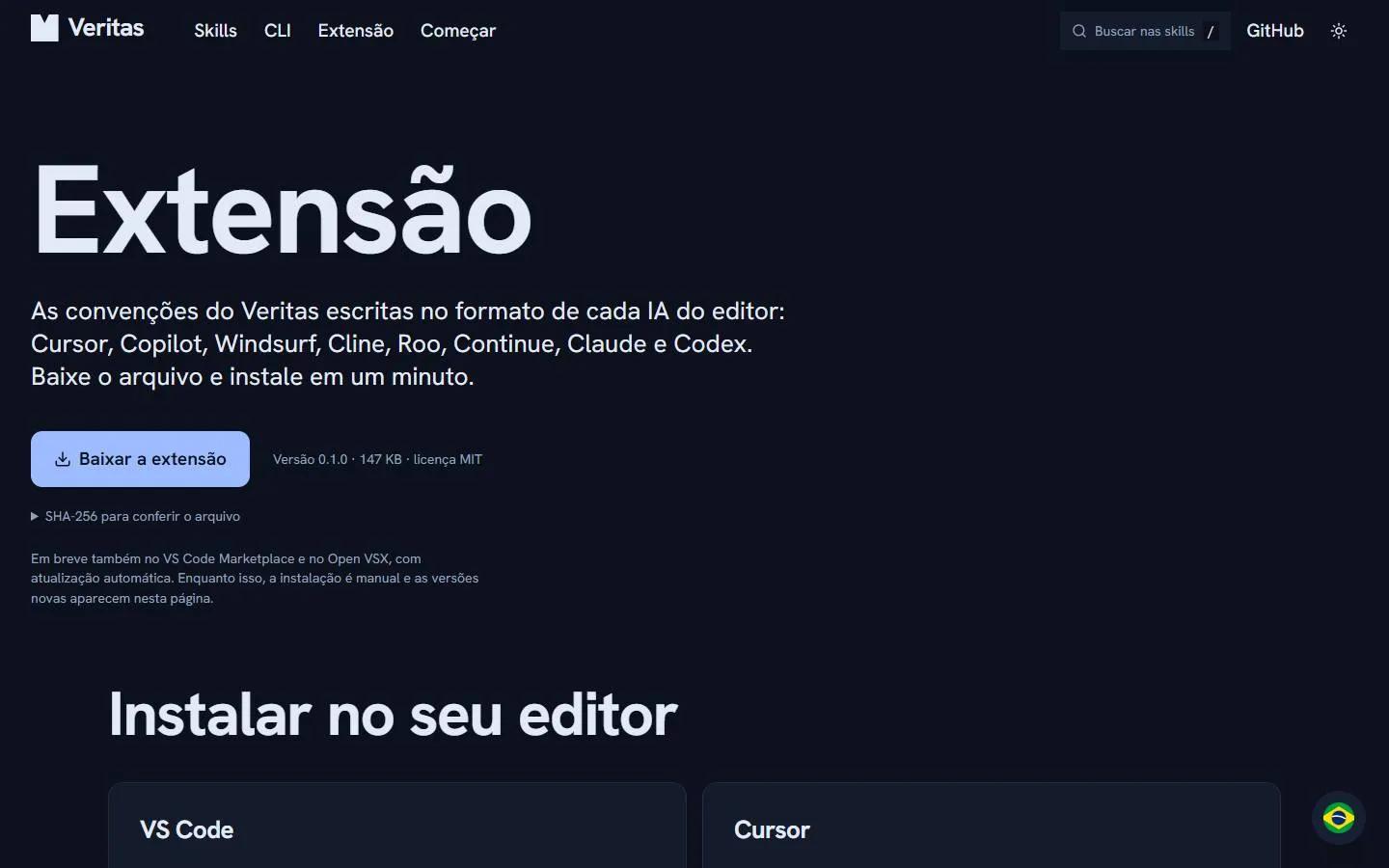
The trade-off is no automatic updates: new versions show up on that page and you reinstall by hand.
Takeaways
- Rule formats look alike; the details don't. Read each tool's documentation instead of guessing.
- One source (
.veritas/) plus several references weighs less on the context than several copies. - Mark what you generate. Without the marker, you can't tell your file from the user's.
- A tool that writes into someone else's folder has to be fussy about it.
The extension's code is in extension/, in the Veritas repository, under the MIT license.
- AI
- VS Code
- TypeScript
- Veritas